Fitbit · Google Health API · iPhone
Fitbit HRV on iPhone, Read Straight From the Google Health API
Google Health can now push Fitbit data into Apple Health, but heart rate variability is not part of what it forwards. Circa sidesteps that path entirely and reads HRV from the Google Health API itself.

Free · no account · ad supported
The gap
Why HRV goes missing on the way to Apple Health
In August 2026 the Google Health app added two-way syncing with Apple Health on iPhone, which finally moved Fitbit workouts, sleep, steps and heart rate into Apple's store without a bridging utility. Reporting on that release noted that HRV was not among the metrics it carries, attributed to a difference in how the two platforms define the measurement.
So if you are on an iPhone with a Fitbit tracker and you want HRV in a third-party app, going through Apple Health is the wrong road. The data has to come from where it already is.
Independent app. Circa is not affiliated with, endorsed by or sponsored by Google, Fitbit or Apple. This page describes what the app reads, based on its own source code.
The route Circa takes
Google Health API, read only, on device
You sign in with Google once and grant four read-only scopes. Circa then reads the data types below straight from the Google Health API and stores them in a local database on your iPhone. It writes nothing back to your Google account, and it never uses Apple HealthKit.
The profile scope is used once, to greet you by first name. Disconnecting revokes the token and erases the local database.
What it is for
HRV is only interesting next to something
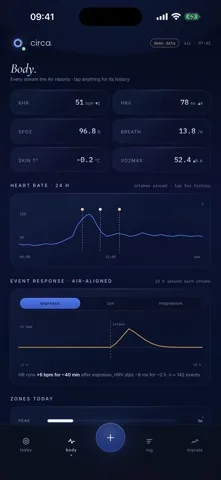
A daily HRV number on its own is a shape you learn to squint at. Circa plots it as a z-score against your own 60-day baseline, which at least tells you whether today is unusual for you rather than unusual for a population.
The more useful part is the pairing. Circa splits your nights into those with evening alcohol logged and those without, compares next-day HRV between the two groups, and reports the difference with a 95 percent confidence interval and a p-value. The same machinery drives a composite recovery score built from HRV, resting heart rate and your sleep, and it is worth being clear that recovery is a number Circa computes, not a field it reads off your tracker.
Requirements and limits
Before you install this one
- You need a Google account and a tracker whose data reaches it. Circa reads Google Health, so whatever is not in your Google account is not visible to Circa.
- There is no Fitbit login. Circa does not use the Fitbit Web API. The authorisation you grant is a Google one.
- iPhone only, iOS 17 or later. No Apple Watch app, no iPad build, no Android.
- Background refresh is best effort. iOS decides when a background task runs, and Circa asks for roughly every 15 to 30 minutes. Pull to refresh forces it.
- Nothing appears on day one. Baselines need a few nights before the scores stop showing their collecting state.
Circa is a personal tracking tool, not a medical device. It does not diagnose, treat, or prevent any condition, and it gives no medical advice. Its numbers describe your own logs and your own tracker readings, nothing more. Talk to a qualified professional before you change medication, supplementation, or anything else about your health.
Read on
Related pages